Generate accurate pixel maps for your next project, in minutes.
A free pixel map generator for LED video walls. Open HappyMaps in your browser and start mapping your screens.
Free to use, no sign-up.
- Pixel-accurate output maps
- Auto-positioned layouts
- Export PNG in seconds
 by Wouter Dijkstra
First impressions
Output maps are like a business card
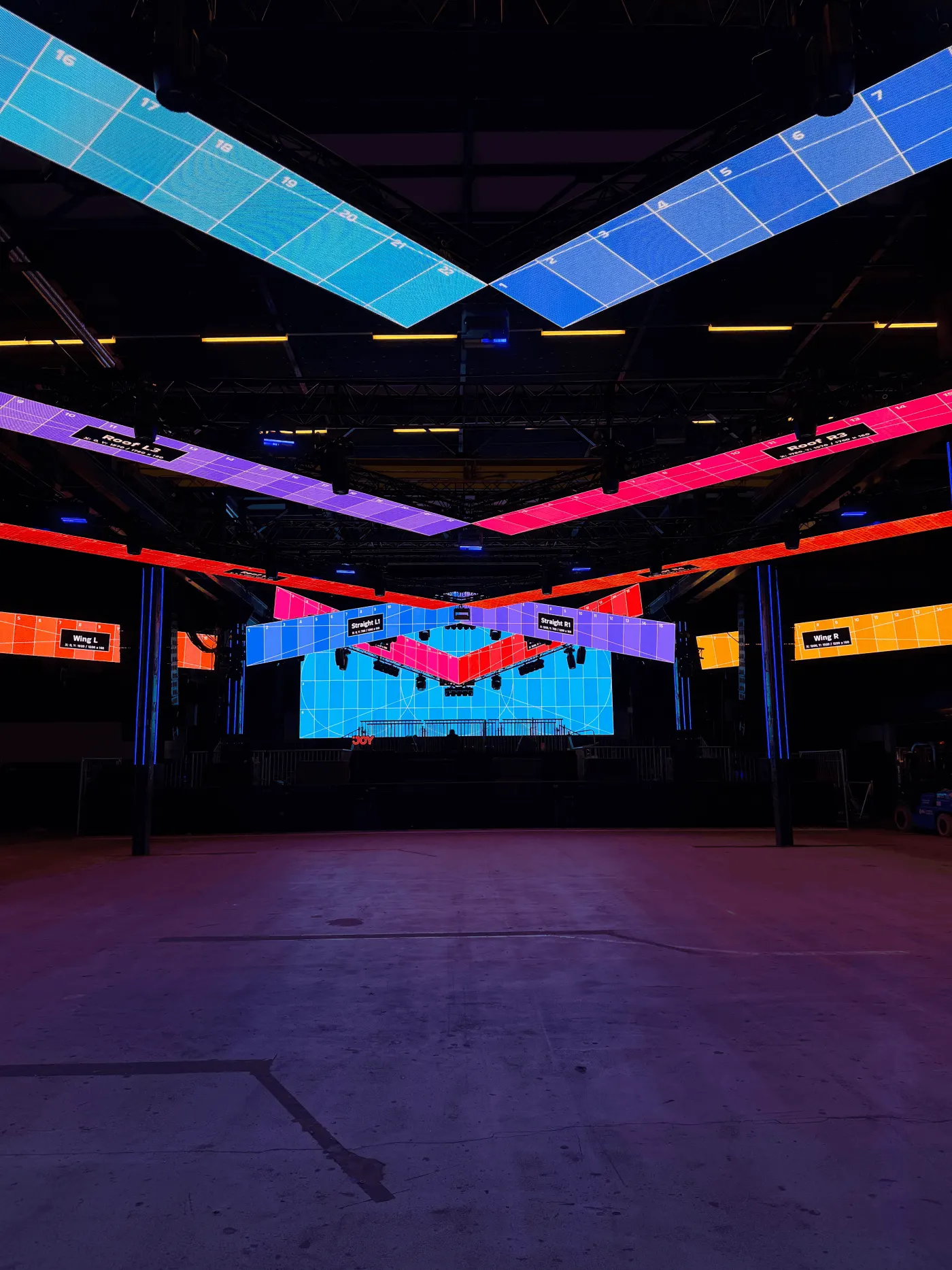
I made HappyMaps because I kept watching unreadable pixelmaps get sent to clients, who'd send them straight back with questions. One guy I worked with couldn't accept that a pixel could sit at 0,0. Zero, to him, didn't exist, so he spaced every panel out by hand instead. Your map is the first thing a client sees of the project. It should be clear enough that they don't have to ask.




Output maps generated by real people in over 90 countries. Start using HappyMaps
What it does
Built because I got tired of doing things manually.
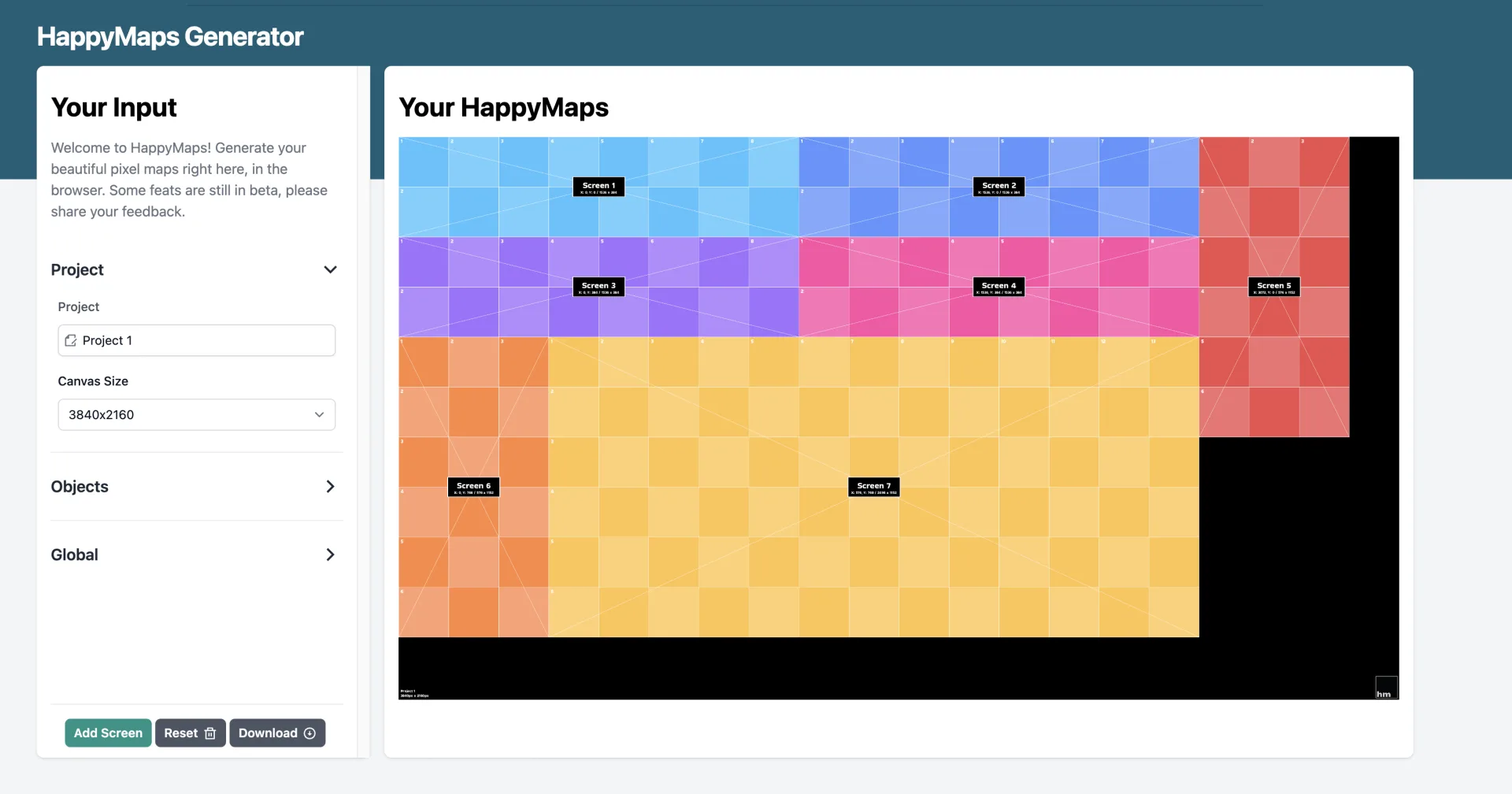
Personally, I like my pixelmaps to show exactly what's happening: odd panel configurations, sliced layouts, transparent walls. Nail that, and the real-life setup looks sharp on site. Here's what makes it happen:
- Auto-positioning
-
Drop in your objects, HappyMaps does the positioning. No offsets to nudge, no ugly gaps. Easy does it.
- Object slicing
-
Too big to fit the width? Split the object and stack the slices, they position themselves alongside everything else.
- Transparent 3.9/7.8 panels
-
Vanish 3.9/7.8 objects require careful handling, and your map will communicate this visually.
- Partial rows and columns
-
Skip cabinets, double one up, end a row early. Build the map the way the screen actually gets built, not the way a grid wishes it would.
- Tile blanking
-
Click to toggle panels off, one at a time. For the shapes that aren't rectangles or where cutouts are needed.
- Resolume export
-
Advanced Output XML imports straight into Resolume Arena. Slice geometry and scaling land intact, so you're not stuck doing the same task twice.
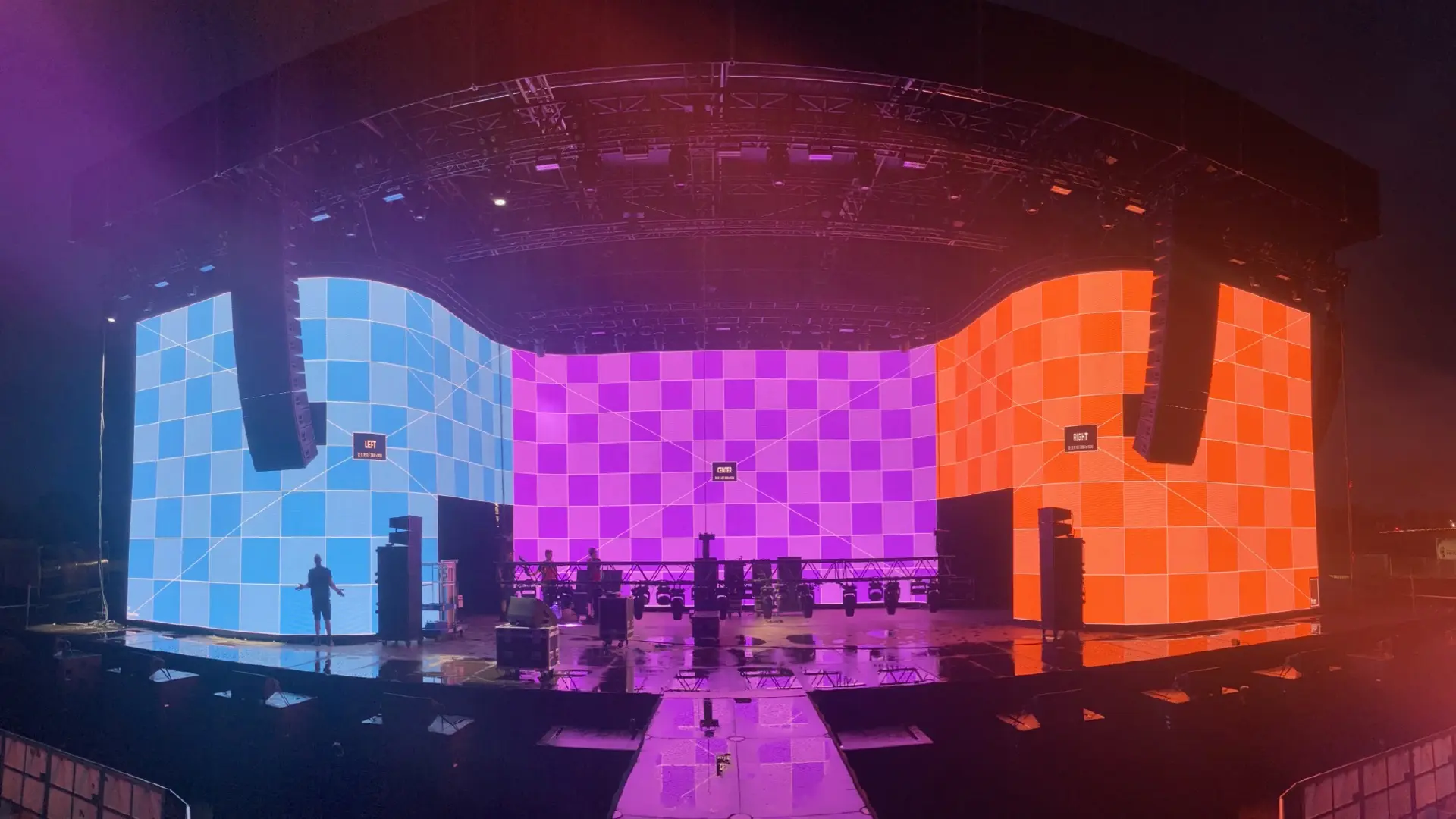

"Here I am, reviewing my own product. Weird, I know. I built HappyMaps because pixel mapping used to mean an After Effects template and double checking every pixel. With HappyMaps it takes five minutes or less. I'd use this even if I hadn't built it."
And here's what people who aren't me think:
3,600+ output maps exported since 2024.
As of November 2026, counted from every map exported.
Help increase this number. Start mapping
Pricing
Free to use. Studio when you're ready.
The whole generator is free, no account needed. Studio adds cloud-saved projects, your own cabinet library, your logo on every export, and your team. One-time, no subscription.
Everything
Free
All features included. No sign-up required.
- Unlimited maps
- Auto-positioning
- 60+ built-in & custom panels
- Transparent wall support (3.9/7.8)
- Object slicing
- Full-resolution PNG & Resolume export
HappyMaps Studio
Early bird
€149 €249 one-time
Early bird until 12 February · +€49 / seat
Your projects, saved. Pick up where you left off.
A one-time payment. No subscription. The free tier stays free.
- Cloud-saved projects
- Your own cabinet library
- Your logo on every export
- Your team on the same maps
- Share links (planned)
- Your own themes (planned)
Virtual coffee never tasted better. Let me know how I can help.
What is HappyMaps?
I built HappyMaps as a free, browser-based pixel map generator for LED video walls, made by Wouter Dijkstra (wouter.page). It produces pixel-accurate output maps (PNG) for live events, installations, and broadcast, and works with any media server. No account required, downloads are free and basically unlimited. Just open the tool and start building.
A pixel map and an output map both answer one question for everyone involved: where does each panel go? The pixel map is the layout, with each LED panel's position, resolution, and label. The output map is what you export from it, a pixel-accurate PNG at the layout's exact resolution, ready to load into any media server.
HappyMaps is used by LED technicians, rental companies, and AV integrators who need to deliver professional output maps to media servers like Resolume, Disguise, and Pixera. The tool supports custom panel sizes, anamorphic cabinets, partial rows and columns for screens that aren't full rectangles, tile blanking, object slicing to fit oversized screens onto the canvas, and auto-positioning to eliminate gaps and overlaps.
HappyMaps has a sister tool, remap.video, by the same maker, that takes a finished HappyMaps layout and renders video to fit it. HappyMaps works fine on its own; remap.video picks up from there.
Frequently Asked Questions
What is a pixel map?
A pixel map (or pixelmap) is a visual reference image used in LED video production. It shows the exact layout of LED panels on a video wall: their position, resolution, and labels, so everyone on the job knows which panel sits where. Techs, content creators, operators, and clients all read from the same map, and it works with any media server.
Is there a free pixel map generator?
Yes. HappyMaps is a free pixel map generator that runs in your browser at happymaps.co. Every feature is included, with no account and no download. You configure your LED panels, position them on the canvas, and export a full-resolution output map PNG. Studio adds cloud-saved projects and team features, but the generator itself stays free.
Who is a pixel map for?
A pixel map is for everyone on the job, not just the media server operator. Techs use it to place and patch panels, content creators build to the exact layout, operators load it into any media server (Resolume, disguise, Pixera, or anything else), and clients can see the plan at a glance. Its whole purpose is communicating which panel sits where.
What is tile blanking?
Tile blanking turns individual LED panels off in your map, so a screen that isn't a full rectangle still exports cleanly. A tile is one LED cabinet, the panel that clips into the frame. Tile blanking and cabinet blanking are the same thing. Click any panel to blank it (it fills black by default), which is useful for irregular shapes, cut corners, and gaps around set pieces.
What is a transparent LED wall (anamorphic 3.9/7.8)?
A transparent LED wall, like the Vanish 3.9/7.8, is see-through because it physically skips every other pixel row. That makes the vertical pitch double the horizontal: 3.9mm across, 7.8mm down. A square area maps to a pixel grid half as tall as it is wide, so HappyMaps pre-squishes the map. It looks like a flat oval in the editor and reads correctly on the real screen. This is anamorphic handling.
What resolution and file format is the export?
HappyMaps exports a PNG at the full pixel resolution of your canvas, so a 3840 by 2160 layout downloads as a 3840 by 2160 image, one pixel per LED pixel. You also get a free Resolume Arena XML file for Advanced Output, with the correct slice geometry and scaling. Both are free, with no account required.
Do I need to install anything? Does it work on Mac?
No install. HappyMaps runs entirely in your browser, so it works on Mac, Windows, Linux, and Chromebooks with no software to download. There's no account required for the free generator either. Open happymaps.co and start building; your setup exports straight to a PNG.
How do I create a pixel map for my LED video wall?
With HappyMaps, select your LED panel type from the built-in library of 60+ industry-standard cabinets (or enter custom dimensions), arrange your objects on the canvas, and export an output map as a PNG image. Auto-positioning ensures panels are placed without gaps or overlaps.
What LED panels does HappyMaps support?
HappyMaps includes a panel library with 60+ industry-standard LED cabinets that is easily expanded. You can also define fully custom panel sizes by entering pixel width, pixel height, and physical dimensions. The tool supports anamorphic panels where pixel and physical aspect ratios differ.
Is HappyMaps free to use?
Yes. HappyMaps is completely free. All features are available to everyone, including auto-positioning, tile blanking, custom panel sizes, and PNG export. No account required.
What is an output map and how do I export one?
An output map is the pixel-accurate PNG image generated from your pixel map layout. In HappyMaps, click the download button to export your output map at full canvas resolution, ready to load into your media server (Resolume, Disguise, Pixera, etc.).
Does HappyMaps export to Resolume Arena?
Yes. HappyMaps exports an Advanced Output XML file for Resolume Arena. Open the Download menu, pick Resolume XML, then import the file into Arena. Your composition arrives with the correct slice geometry and scaling. Free for all users.